
 We set things up: we build the pages and provide tools for editing text and content managed by your chosen modules.
Awaiting review
- Page text
- Images
Managing your website
We will build your business website and provide the tools to keep it up to date. Website Core lets you edit all text except system text. Your chosen modules provide additional ways to manage content.
Get free concepts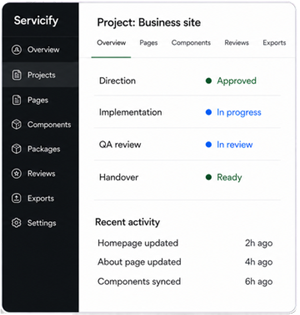
Everyday website updates
Changed a service description or your company information? Update the text yourself.
We set things up: we build the pages and provide tools for editing text and content managed by your chosen modules.
You keep things current: update your content after the website launches.

What comes with your website
You receive a working website with the agreed pages, features and editing tools. We can deploy it to a server or hosting plan you already have or purchase for the website. We also offer hosting on our server for an additional annual fee. Your website runs independently of the internal Servicify system we use during development.


Editing without code
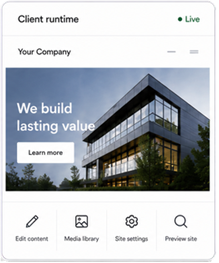
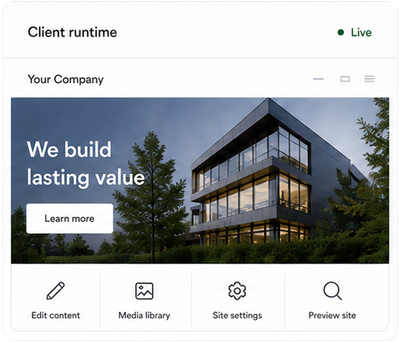
The visual editor lets you work directly on the website page. Select an editable element - the editor will show what you can change. Make your changes and save them. Visitors will see the updates once you save.


After full payment and handover, you can work with other developers on the website code under the agreement and applicable licences.

Getting ready to manage your website
Building the website also means preparing it for the updates you will make over time.

We find out which content you plan to update, explain what you can edit in Core and identify modules for your other needs.

We set up editable page elements and tools for managing content in your chosen modules.

We check that the agreed tools work and that updates appear correctly on the website.

You receive step-by-step instructions and short videos with editing examples. Individual staff training is not included in the handover.
Your website features
Every website starts with Website Core. Your chosen modules add further capabilities. Start with Business or Automation and adjust the selection, or choose your own modules with Custom.
| What is included | Business | Automation | Custom |
|---|---|---|---|
| Website Core | Included | Included | Included |
| Starting module selection | Basic | Expanded | No modules selected |
| Module selection can be changed | Yes | Yes | Yes |
Reviewing your website
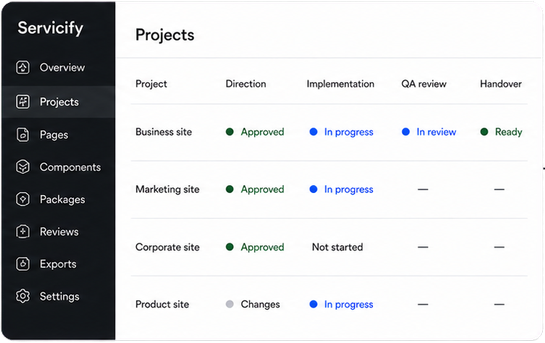
You review the website before handover. We identify what has been checked, what needs correcting and which questions need your response, so important details are not missed.
 Website and instructions
An example of a website review before handover.

Tell us about your services, customers and what you need the website to do. We will prepare three design options for free. You decide whether to order the website.